

j2vote is an interactive polling tool within Just2easy that allows teachers to quickly gather pupil responses, opinions, and understanding in real time during lessons.
For more information on how to create a j2vote, read this help article or watch this video
Sharing a j2vote
There are different ways to do this: via QR code, shared files, j2homework or within the resource library. We have outlined each method below:
Sharing via QR code
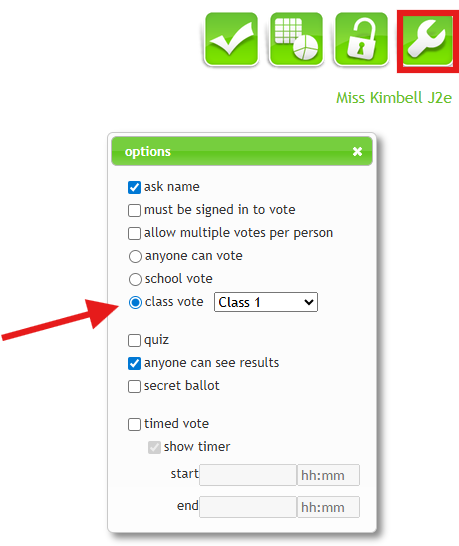
- Open the j2vote file and ensure it is shared with the correct class by selecting the class from the “Class Vote” drop-down menu, or make it accessible to the whole school by clicking the “School Vote” button.
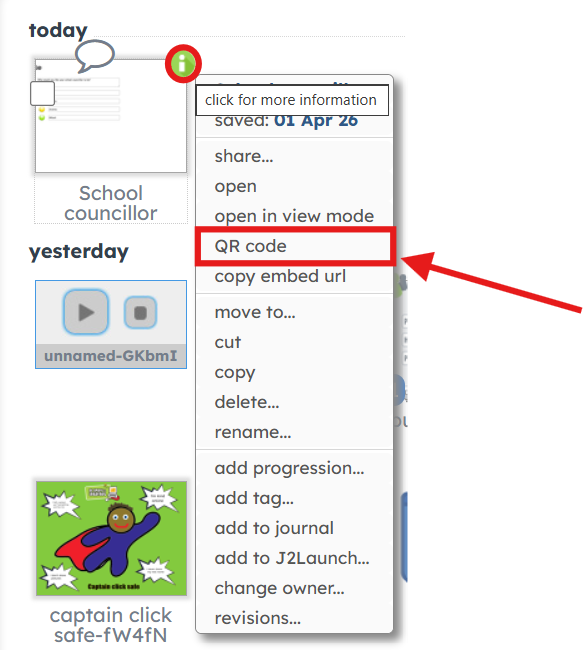
- Go to My Files and locate your j2vote.
- Hover over the file and click the green i
- Select "QR code"
- You can showcase the QR code on the board, or print the QR code for pupils to scan.
- Pupils can now scan the QR code to access the vote and submit their responses.
Sharing via shared files
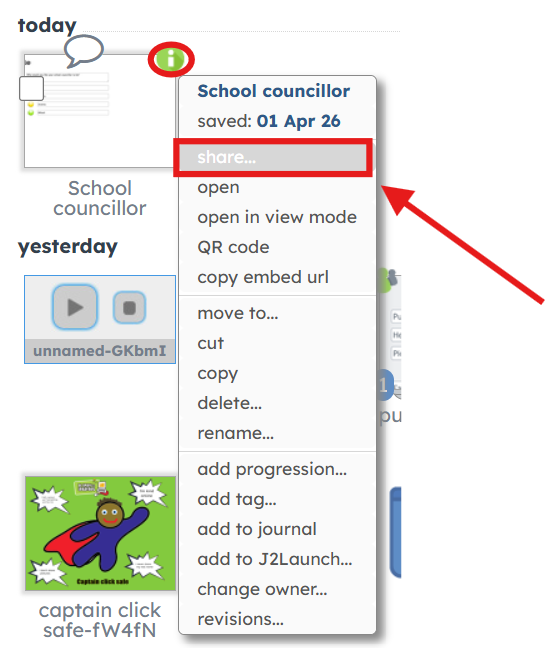
- Go to My Files and locate your j2vote.
- Hover over the file and click the green i
- Select “Share”.
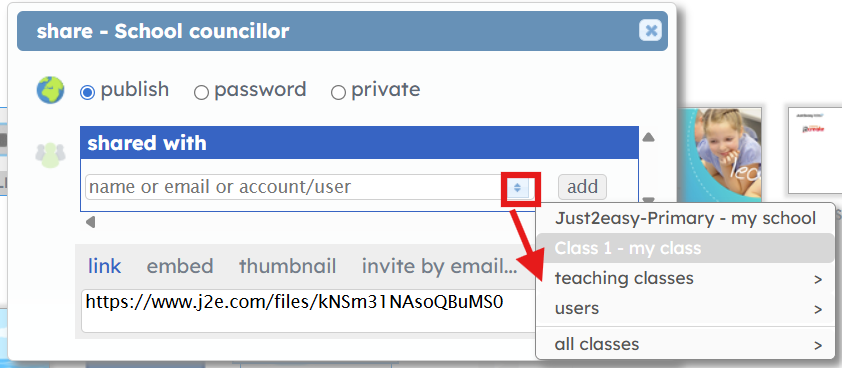
- Use the drop-down menu in the “Shared With” box to select the class(es) you want to share the j2vote with.
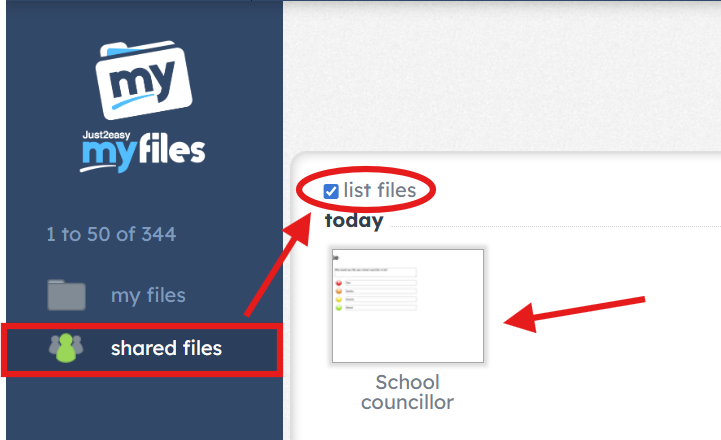
- Pupils can now access the j2vote by going to My Files and opening their Shared Files
Sharing via j2homework
You can find more information on how to set as a homework task here
Sharing via the resource library
You can find more information on how to set as a library task here