
Schools have flexible control over how parents interact with j2journal through the Parent Portal.
You can tailor the settings to suit your school's approach, choosing whether parents can view journals, comment on entries or contribute their own learning content.
Settings can be applied across the whole school or customised for individual classes, allowing different levels of parental involvement depending on pupils' ages and needs.
Choose your settings
There are three key options to consider:
Parental access to j2journal: Decide whether parents can view class journals through the Parent Portal.
Allow comments: Choose whether parents can comment on journal entries.
Allow contributions: Choose whether parents can add their own learning content to the journal.
Manage settings across the whole school
Whole-school settings can be managed through j2dashboard, found within the Teachers area.
Open j2dashboard.
Locate the j2journal parental settings.
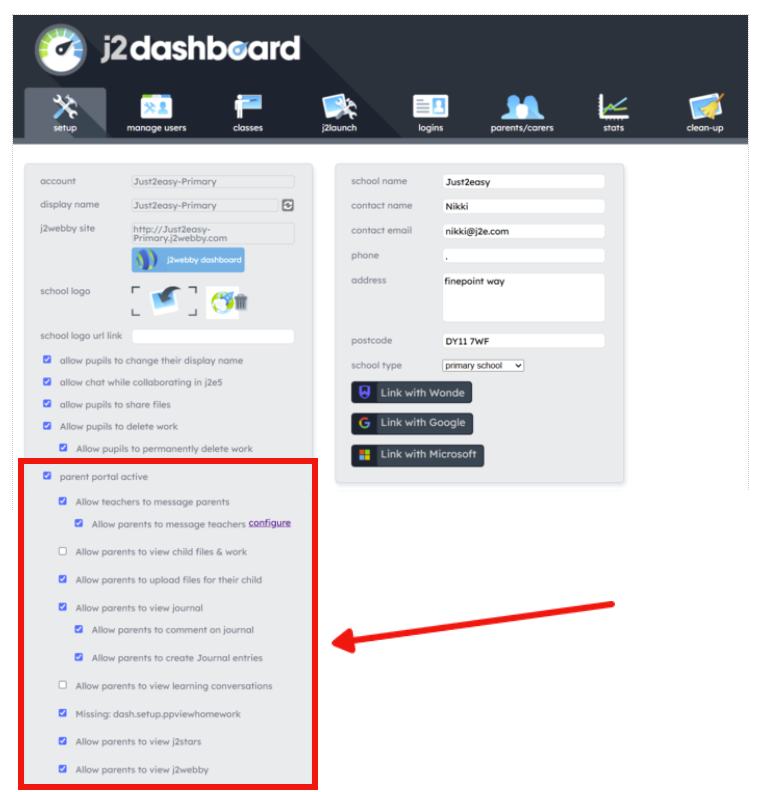
Review the available options and tick or untick the relevant boxes to suit your school's preferences.
Please note: If parental access to j2journal is switched off, parents will not be able to view journals. The options for comments and contributions will therefore no longer apply.
Customise settings for individual classes
You can also adjust the level of parental interaction for individual class journals.
This is particularly useful if your school wants different arrangements for different age groups. For example, you might encourage Nursery and Reception parents to contribute learning experiences from home, while choosing to limit contributions for older pupils.
To customise a class journal:
Open j2journal.
Find the relevant class journal.
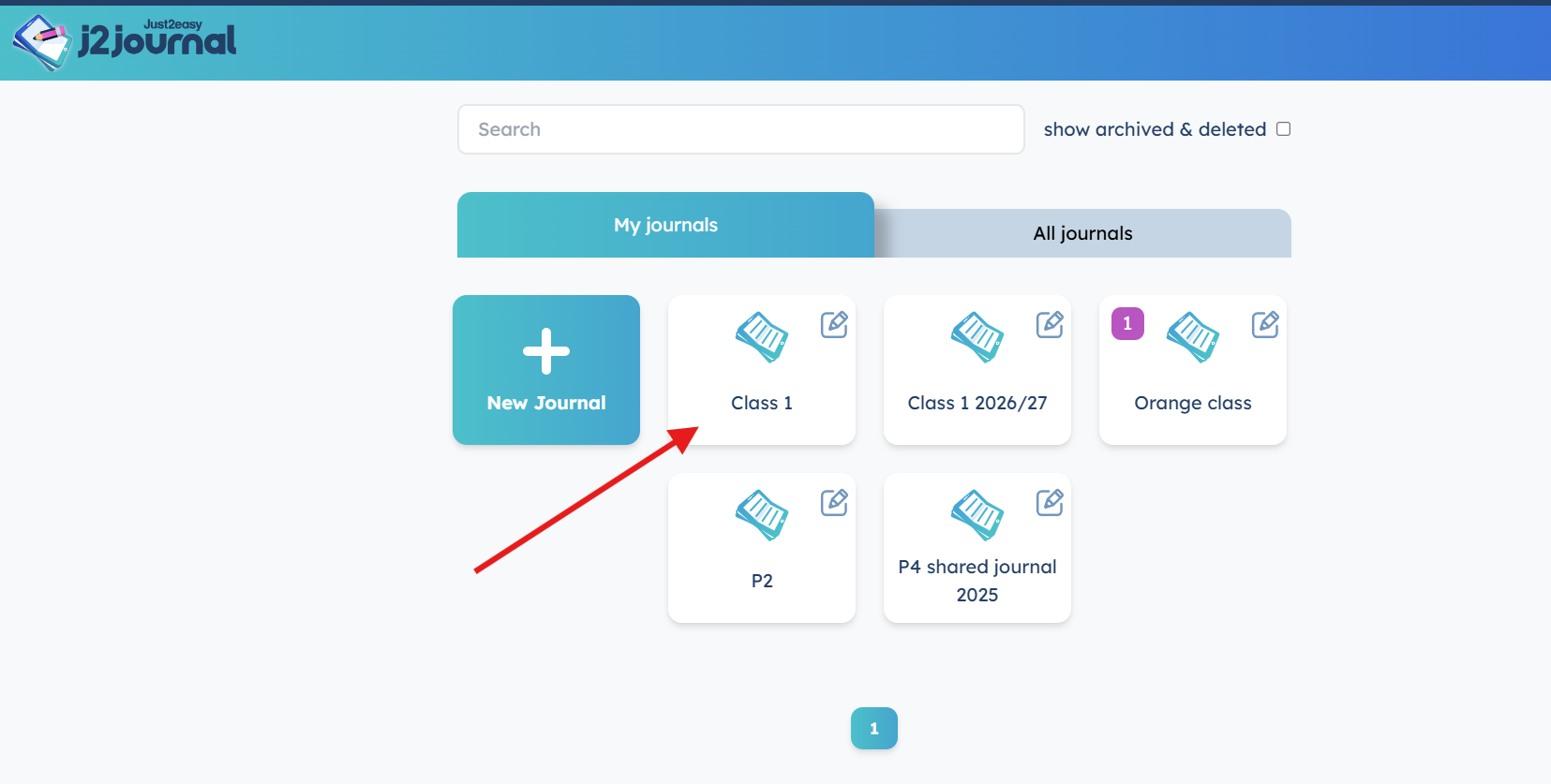
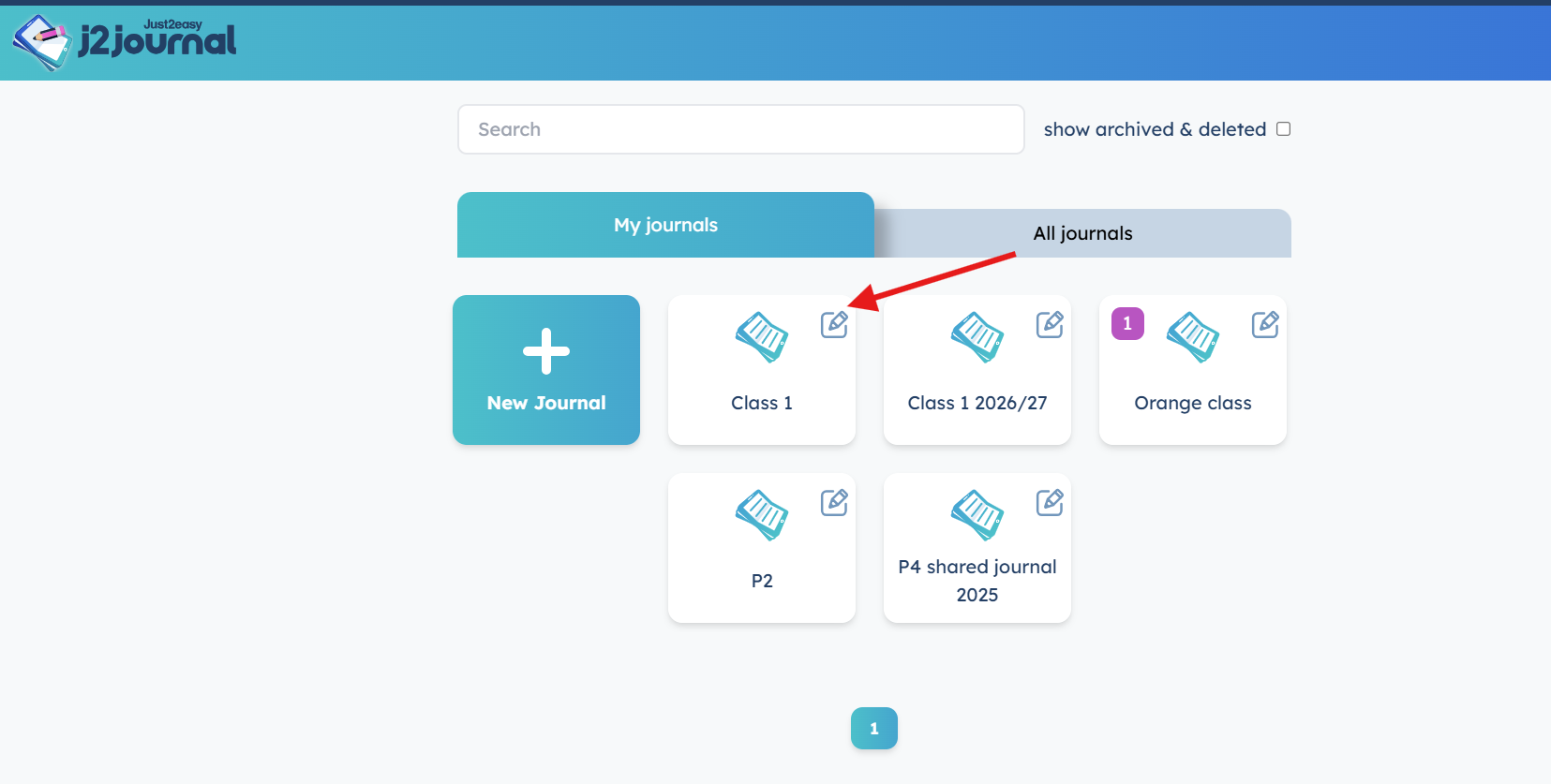
Click Edit in the top-right corner.
Tick or untick the options to allow or restrict parental comments and contributions.
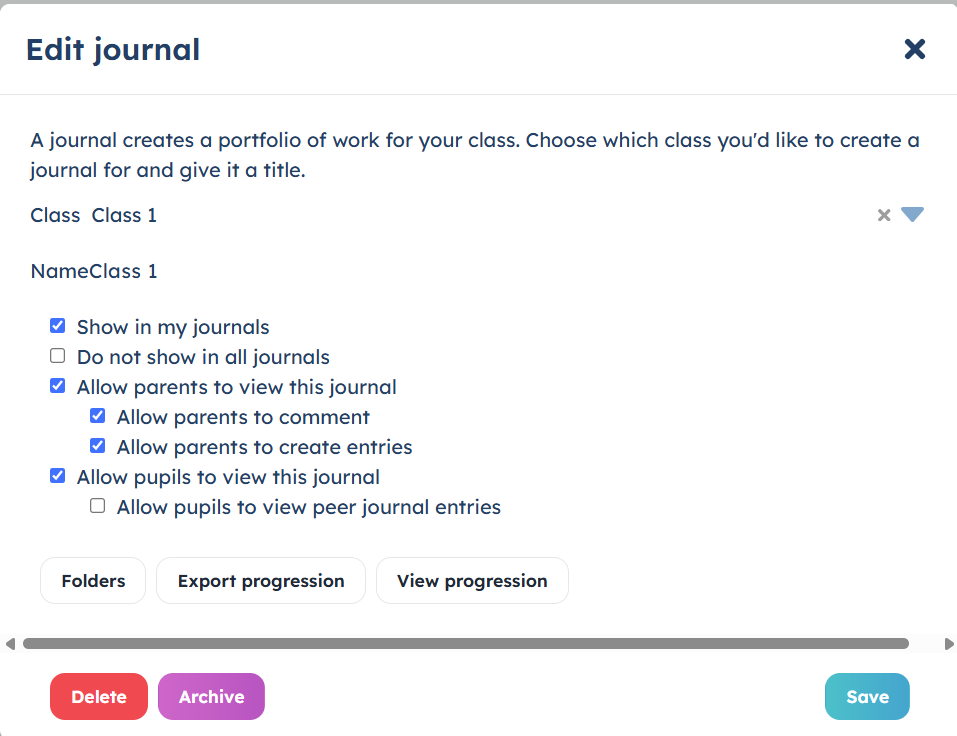
Click Save to confirm your changes.
Parent interaction moderation
Any comments or learning content submitted by parents are sent to the moderation area for teacher approval before appearing in the class journal.
This means teachers remain in control of what is published and shared.